
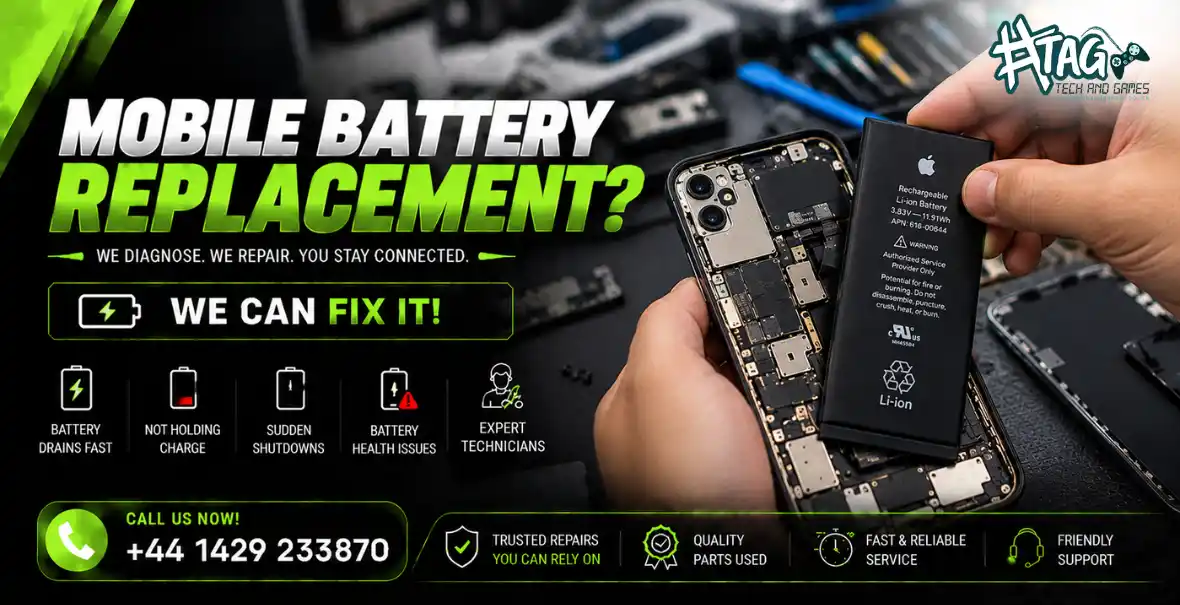
Does your phone battery drop from 100% to 20% within a few hours? Does your mobile switch off unexpectedly, charge slowly or struggle to last throughout the day?
A worn-out battery could be the reason. Many users search for mobile battery replacement near me, phone battery draining fast, or iPhone battery replacement in Hartlepool when these problems start affecting everyday use.
At Tech & Games Hartlepool, we help diagnose mobile battery problems and identify whether your phone needs a battery replacement or another repair.
The good news? Many battery-related problems can be resolved with a suitable replacement, depending on your phone model and the condition of the device.
Why Does Your Mobile Phone Battery Drain So Quickly?
Your phone battery naturally loses capacity as it ages. However, rapid battery drain can also result from software issues, demanding applications, charging faults or internal hardware damage.
Common warning signs include:
Battery percentage dropping unusually quickly
Phone switching off despite showing remaining charge
Battery taking too long to charge
Phone becoming unusually hot during normal use
Battery health showing reduced maximum capacity
Phone struggling to hold charge throughout the day
Understanding the cause helps you avoid replacing a battery unnecessarily.
Step 1: Check Your Phone’s Battery Health
One of the first things to check is your phone’s battery health.
On supported iPhones, open Settings → Battery → Battery Health or Battery Health & Charging. The exact menu varies by iOS version.
On Android phones, battery information and diagnostic options vary by manufacturer and model.
If your phone reports significantly reduced battery capacity, unexpected shutdowns or a battery service warning, replacement may be worth considering.
How Tech & Games Hartlepool can help: Our technicians can assess the battery condition and check whether replacement is appropriate for your device.
Step 2: Identify Apps That Drain Your Battery
Not every battery problem requires a replacement. Applications running continuously in the background can consume considerable power.
Try these checks:
Review battery usage in your phone settings.
Restrict unnecessary background activity.
Reduce screen brightness when practical.
Check whether a recently installed application is causing unusual drain.
Install available system updates from your device manufacturer.
If battery life improves, software or usage patterns may have contributed to the problem. If the battery continues to drain rapidly, a hardware assessment may be needed.
Step 3: Phone Battery Not Holding Charge?
A worn battery may lose its ability to store and deliver power effectively.
You might notice that your phone charges to 100% but quickly falls to 70%, 50% or lower during ordinary use. Older devices may also switch off unexpectedly when the battery percentage appears to be sufficient.
These symptoms can indicate battery degradation, although charging circuitry or software faults can cause similar behaviour.
At Tech & Games Hartlepool, we can assess the battery and charging system before recommending a repair.
Step 4: Phone Battery Draining While Charging or Charging Slowly
If your phone loses charge even while connected to a charger, the issue may not be the battery alone.
Possible causes include:
A faulty charging cable or adapter
Dust or damage inside the charging port
Excessive heat during charging
Background applications consuming power
A damaged charging circuit
A worn-out battery
Try a compatible charger and cable first. If the problem continues, professional diagnosis can help identify the actual fault.
Avoid inserting metal objects into the charging port or attempting to repair internal components yourself.
Step 5: Watch for Battery Swelling or Excessive Heat
A swollen battery is a serious warning sign. You may notice the screen lifting, the phone casing separating or an unusual bulge.
If your phone battery is swollen, stop using and charging the device. Do not press, puncture or attempt to remove the battery yourself. Arrange professional assessment as soon as possible.
Excessive heat, a burning smell or visible battery damage also requires immediate attention. Keep the device away from flammable materials if it is safe to do so.
When Should You Get a Mobile Battery Replacement in Hartlepool?
Consider booking a battery assessment if your phone:
Drains quickly despite normal use
Switches off unexpectedly
Has poor battery health
Struggles to hold a charge
Shows a battery service warning
Has a battery that is no longer performing reliably
Some problems can be resolved through software adjustments or charging-port repairs. Others require a replacement battery compatible with your specific model.
Mobile Battery Replacement at Tech & Games Hartlepool
If you’re looking for phone battery replacement in Hartlepool, Tech & Games can assess your device and advise on the appropriate repair.
Our mobile repair service can help with battery-related problems affecting supported phone models, including iPhones and Android devices.
Services may include:
Mobile battery diagnostics
Phone battery replacement
iPhone battery replacement assessment
Android battery replacement assessment
Charging and power fault diagnosis
Inspection for battery swelling or damage
Same-day repairs may be available depending on the phone model, parts availability and the fault identified. Ask the team to confirm the estimated turnaround time before proceeding.
Visit Tech & Games Hartlepool
Address: 119 York Rd, Hartlepool, TS26 9DL, United Kingdom
Phone: +44 1429 233870
Website: https://techandgames.co.uk/
Contact the team to discuss your phone model and battery problem before visiting.
FAQs:
Q1. Why does my phone battery drain so fast?
Fast battery drain can result from battery ageing, background applications, high screen brightness, poor signal or software issues. If the problem persists after basic checks, have the battery and charging system assessed.
Q2. How do I know if my phone needs a new battery?
Frequent unexpected shutdowns, reduced battery health, rapid percentage drops and poor battery life can indicate that replacement is needed. A diagnostic check can help confirm the cause.
Q3. Can I replace my iPhone battery in Hartlepool?
A compatible iPhone battery replacement may be available at Tech & Games Hartlepool, depending on your model and parts availability. Contact the shop to confirm availability and pricing.
Q4. How long does mobile battery replacement take?
Some battery replacements can be completed on the same day. The actual turnaround depends on the phone model, parts availability and whether additional damage is found.
Q5. How much does phone battery replacement cost in Hartlepool?
The price depends on your phone model, battery type and repair requirements. Contact Tech & Games Hartlepool on +44 1429 233870 for a model-specific quote before booking.
Q6. Is it worth replacing a phone battery instead of buying a new phone?
If the phone otherwise works well, a battery replacement may be more economical than buying a new device. The decision depends on the repair cost, the phone’s age, its overall condition and software support.
Q7. Is it safe to use a phone with a swollen battery?
No. Stop using and charging the phone, and do not press or puncture the battery. Arrange professional assessment because a swollen lithium-ion battery can present a fire or injury risk.